
AI & Automation ·
Automate One Thing — Part 1: The task that ate my nights
Last year I wrote a series about my journey from typing prompts into a chatbot to running my own AI software factory. The most common response I got wasn't about the factory. It was some version of this question:
"OK, but how do I actually start? What's the first real thing I should automate?"
Fair question. So this series is the answer, told through one real example from my day job: a manual, repetitive, high-stakes task that I turned — step by step, with AI as my co-builder — into a fully automated flow. By the end of this series you'll have a repeatable playbook you can point at a task of your own.
Let me show you the task.
The manual version
If you've ever been near an enterprise go-live — SAP or otherwise — you know the cutover: a multi-week window where hundreds of tasks have to happen in exactly the right order, at exactly the right time, across dozens of people in multiple companies and time zones. Load this system at 02:00. Confirm the interface at 02:40. Release the jobs at 03:15. Miss a step, or run one early, and you can corrupt the very thing you're trying to launch.
Here's how that's traditionally run, and I've lived this more than once:
The plan lives in Microsoft Project. The project manager sits on a bridge call — for hours, then days, then weeks — watching the clock. When a task's start time comes up, the PM manually sends an email to the task owner: "You're up. Confirm when done." Then chases the ones who don't reply. Then updates the plan. Then sends the next one. At 2 AM. And 3 AM. And again the next night.
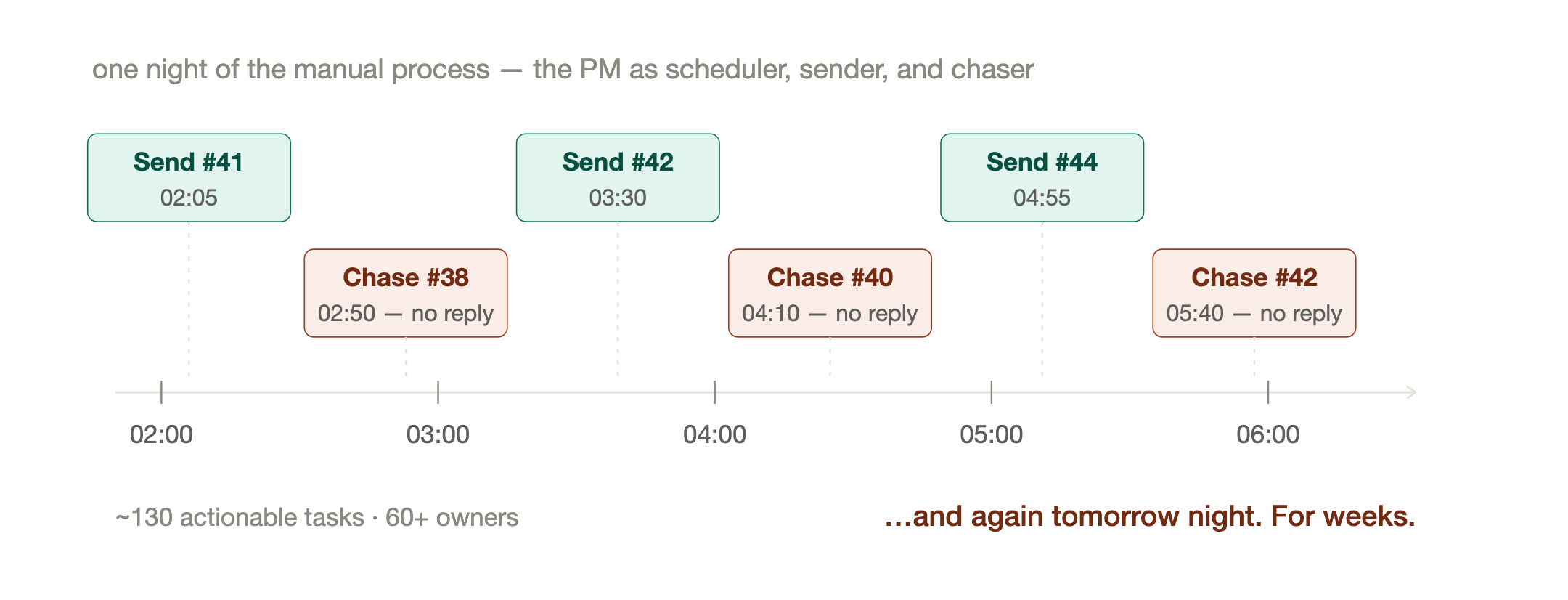
On the project this series is based on, the numbers looked like this: roughly 150 tasks, about 130 of them actionable, owned by more than 60 people — internal teams and external partners — across a cutover window measured in weeks, not hours.
A human being — usually the most experienced, most expensive person on the project — spends those weeks working as a very tired alarm clock.
Why this task? Anatomy of an automation candidate
I picked this task to automate not because it was annoying (though it was), but because it has the exact fingerprint of a task that should be automated. Look for these five markers in your own work:
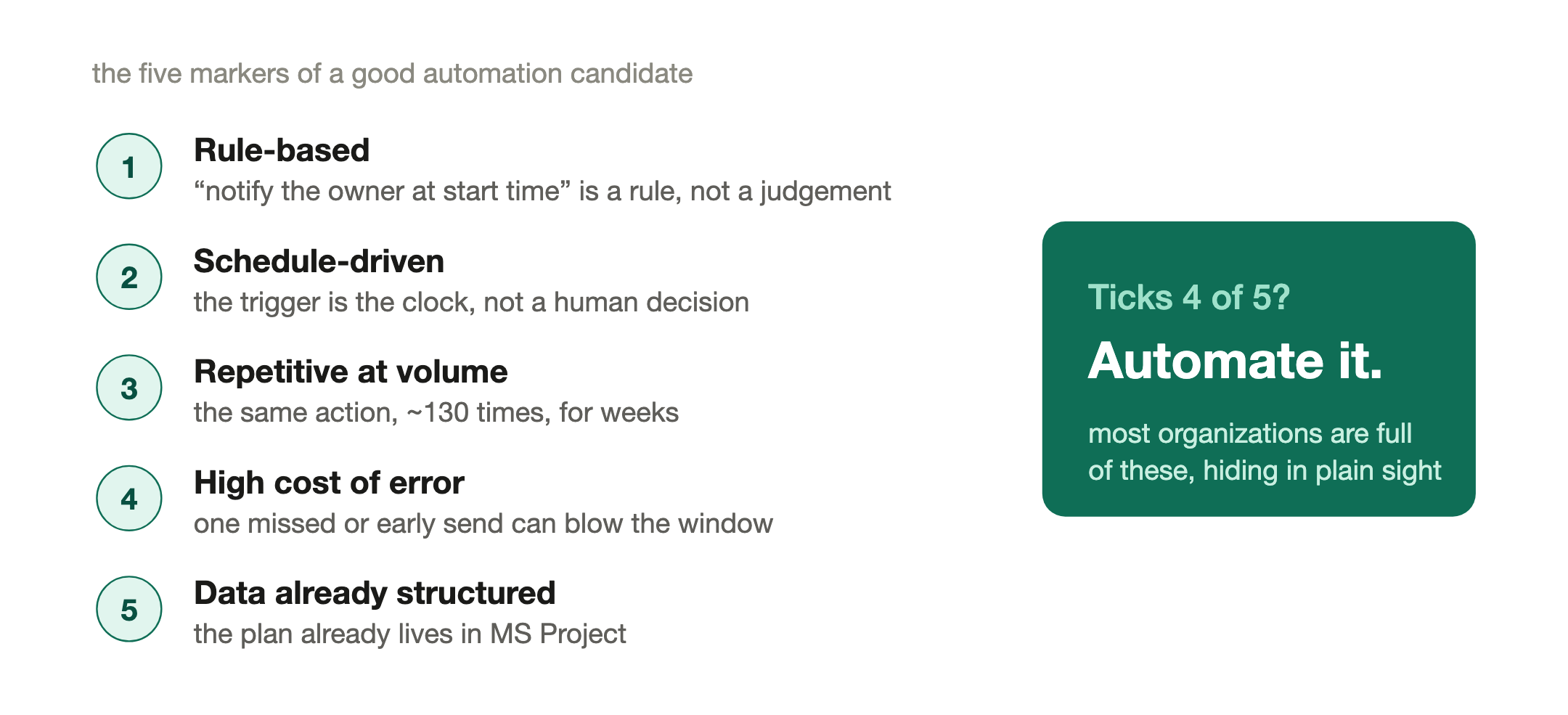
1. It's rule-based. "Send the notification at the task's start time, to the task's owner" is a rule a machine can follow. No judgment required for the routine 95%.
2. It's schedule-driven. The trigger is the clock, not a human decision. Clocks are what computers are best at and humans are worst at — especially at 3 AM in week two.
3. It's repetitive at volume. The same action, 130 times, over weeks. Nobody's skills improve by doing it; they just erode with fatigue.
4. The cost of error is high. A missed or early notification on a cutover isn't a typo — it can mean a corrupted load or a blown window. Ironically, the tasks where mistakes matter most are the ones we leave to exhausted humans.
5. The data already exists in a structured form. The plan is already in MS Project: tasks, owners, start times, finish times, dependencies. Nobody has to create new data — we just have to use what's there.
If a task in your world ticks four of those five boxes, it's a candidate. Most organizations are full of them: month-end reminder chains, compliance chase-ups, onboarding sequences, report distribution, escalation ladders. They hide in plain sight because "that's just how we do it."
What the automated version looks like
By the end of this story, the same cutover runs like this:
The plan still lives in MS Project — the planners' tool doesn't change. From there, an automated flow takes over: every task owner gets an email (and a Teams card) at exactly the right moment, with everything they need to act — what to do, when it's due, what the rollback is, and a one-click button to report their status. No login. No opening the plan. Overdue tasks get chased automatically. The PM stops being an alarm clock and becomes what they should have been all along: the person handling the exceptions.
And here's the part that matters for this series: I didn't hire a development team, and I didn't buy a product. I built it with AI as my co-builder — first as a scrappy MVP on tools every corporate desktop already has, then, once it had proven itself in the field, as a full custom application.
The route we'll take
This series walks the same route I walked, one part per week:
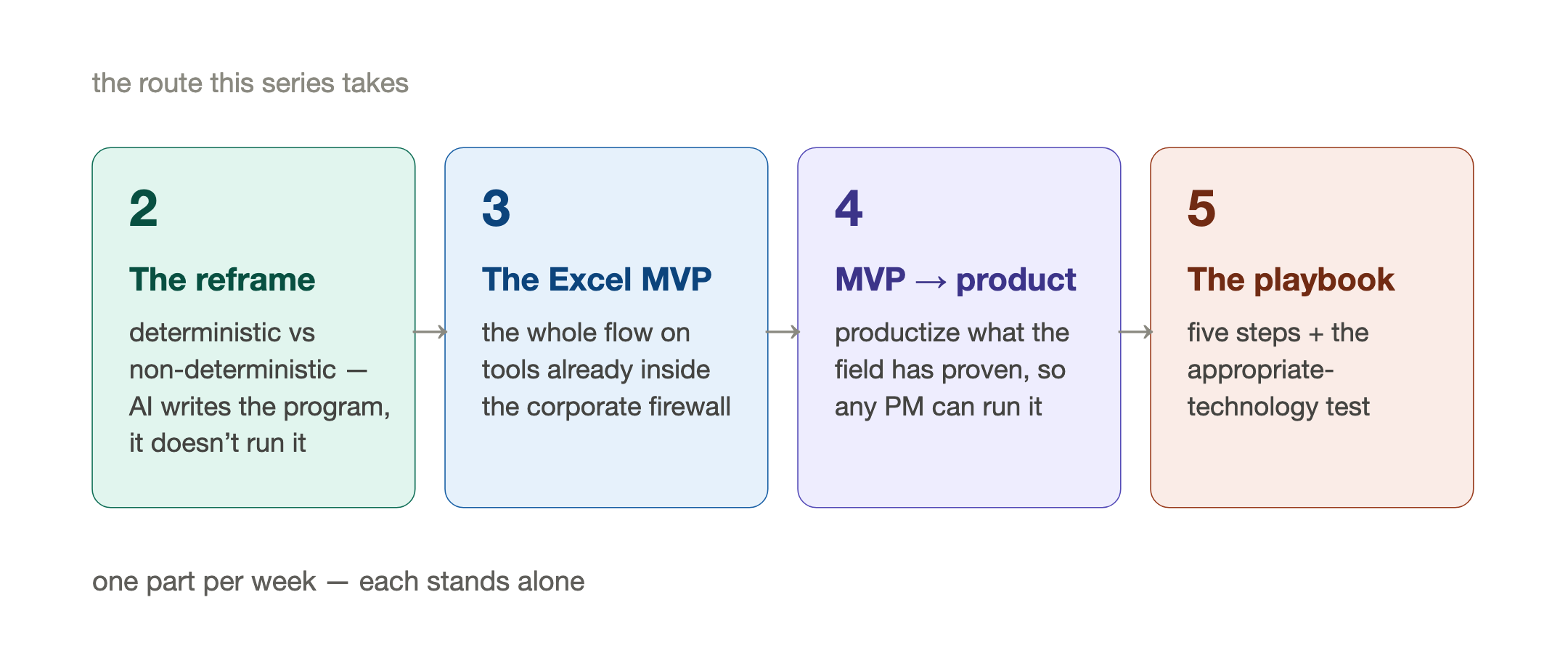
Part 2 — Don't ask AI to do it. Ask AI to build it. The single most important mental model in this whole story: deterministic vs non-deterministic work, and why the answer to "can AI send my notifications?" is no — but AI can write the program that does.
Part 3 — The MVP was a spreadsheet. How the entire first version ran on MS Project exports, Excel, and the Microsoft tools already inside the corporate firewall — and why that unglamorous choice was the right engineering decision, not a compromise.
Part 4 — When the spreadsheet starts fighting back. How a field-proven MVP becomes the specification for a real product, and how AI collapses the cost of that second step.
Part 5 — The playbook. The whole method distilled into five steps you can run on a task of your own, plus a framework for choosing the appropriate technology at each stage.
If you read my first series ("the map"), this one lives on rungs two and three of that ladder — but you don't need to have read it. This one stands alone: one task, start to finish, manual to machine.
Find your own version of the 2 AM email while you wait for Part 2. You almost certainly have one.
— Jerome
I help consultants and organizations figure out where AI genuinely fits in their delivery — not the hype version, the working version. If this series prompts a "we have exactly that task" moment, my messages are open.
Originally published on LinkedIn, July 21, 2026.