
AI & Automation ·
Part 3 — Into the folder
In Part 2 we lived entirely in the browser — chat windows, Projects, NotebookLM. Brilliant, free or nearly free, and for a lot of people that's the whole journey. This post is about the single biggest step change I've experienced, and it's a line that almost nobody outside of software has crossed: you let the AI out of the chat window and into your actual files.
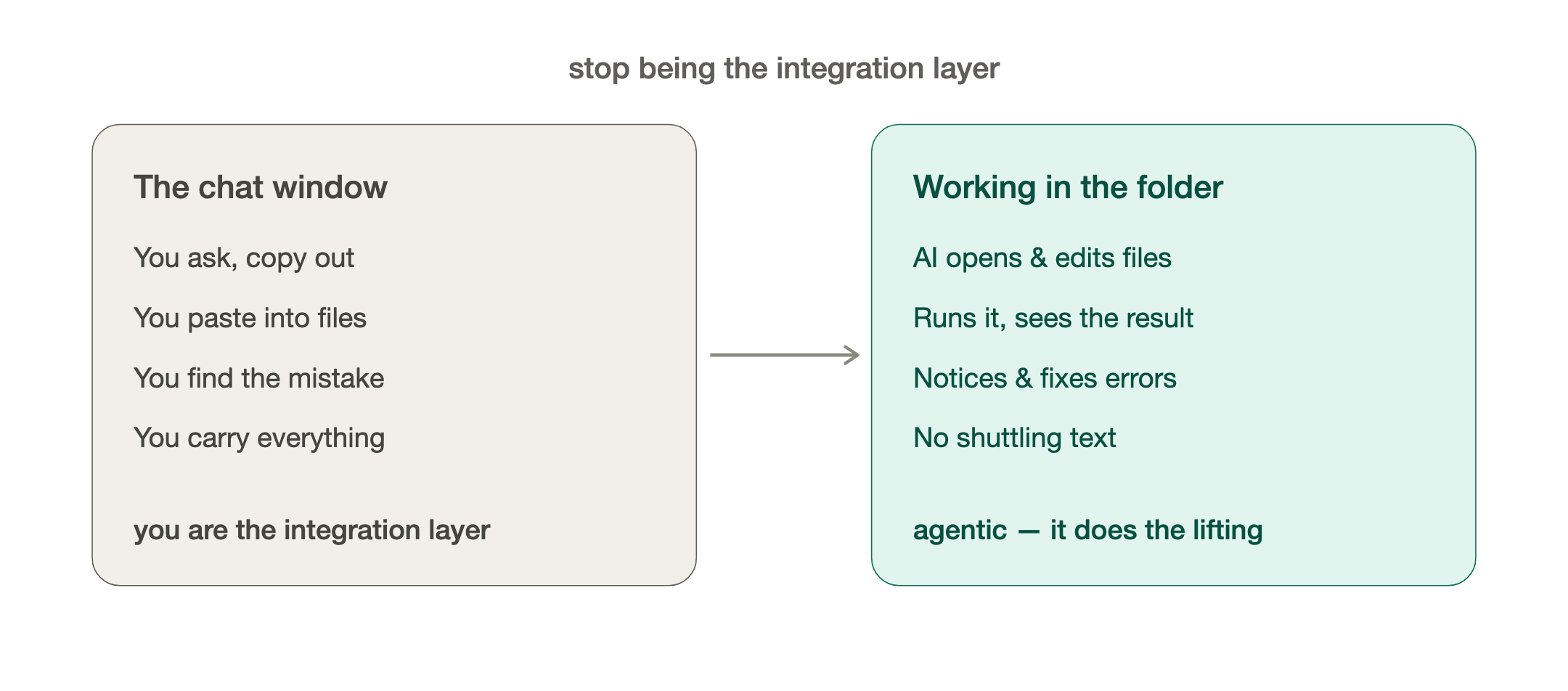
Stop and picture how you use a chatbot today. You ask, it answers, you copy the answer out, you paste it into your spreadsheet or your document, you find the mistake, you go back and ask again. You are the integration layer. You are the copy-paste. You are the one carrying everything between the AI and the real work.
Now imagine instead that the AI is sitting inside the folder with your files. It can open them, read them, change them, create new ones, run them, look at the result, notice it got something wrong, and fix it — all without you shuttling text back and forth. That's the difference between an assistant who tells you what to type and a colleague who just does the task and shows you the result. This is what everyone means by Agentic.. let the AI do the heavy lifting.
That's what tools like Anthropic’s Claude Code, Cowork and OpenAI's Codex do. You point them at a folder on your machine and start talking to them in plain English, exactly like a chat — except now the conversation can act. These are called harnesses. You may have heard that term. Basically, they are pieces of software that sit on top of the AI model and allow them to do more than just chat. Claude Code and Codex can also be run in the terminal (yes, the scary black window — it's far friendlier than you remember, and you mostly just type sentences). Cowork is essentially the same as Claude Code, but focuses on non-coding tasks in a gentler, less technical way in if the terminal puts you off. Either way, the mental model is the same: a smart colleague, working in your folder, who you talk to like a person.
Here's why this is a genuine step up for the kind of work we do, not just for programmers.
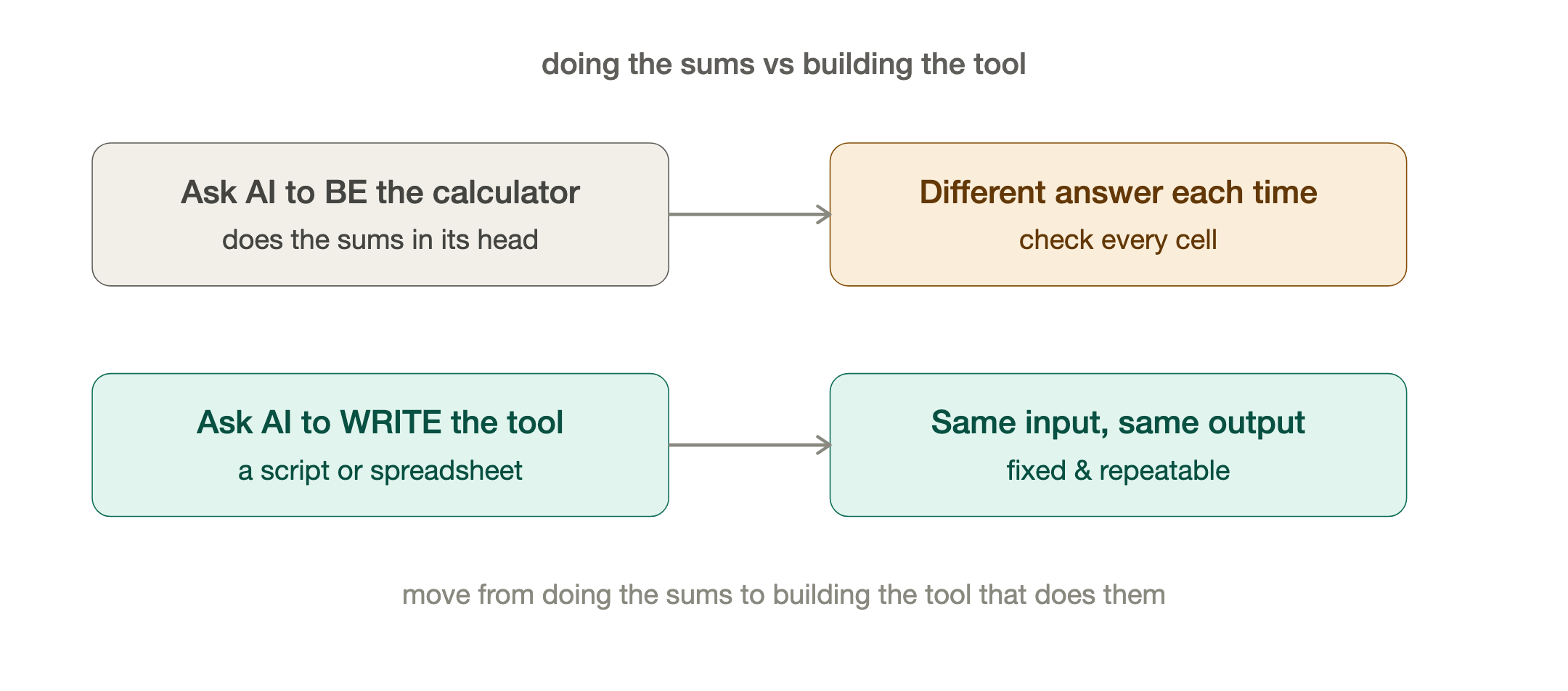
It makes the work deterministic. Remember my warning in Part 2 about Excel — that AI is nondeterministic, so you have to check every cell because you might not get the same answer twice? In the folder, you fix that. Instead of asking the AI to be the calculator, you ask it to write the spreadsheet, or a small script, that does the calculation — and then run it. The logic is now fixed and repeatable. Same input, same output, every time. You've moved the AI from "doing the sums in its head" to "building you a reliable tool that does the sums." That one shift is the difference between a party trick and something you'd stake a deliverable on.
It works at scale. A chat handles one thing at a time. A colleague in a folder handles two hundred. "Take every document in this folder, pull out the fields I care about, and build me one summary spreadsheet." "Generate a test script for each of these forty requirements." "Compare these two configuration exports and tell me everything that's different." Tasks that were a day of mind-numbing manual work become a sentence and a coffee.
It does multi-step jobs and checks its own work. Because it can run things and see the result, you can hand it a whole task instead of a single step — and it'll loop until it's right. This is where it crosses from "tool" into "teammate."
So what have I actually built this way? Honestly, a lot of it is unglamorous and personal — and that's the point.
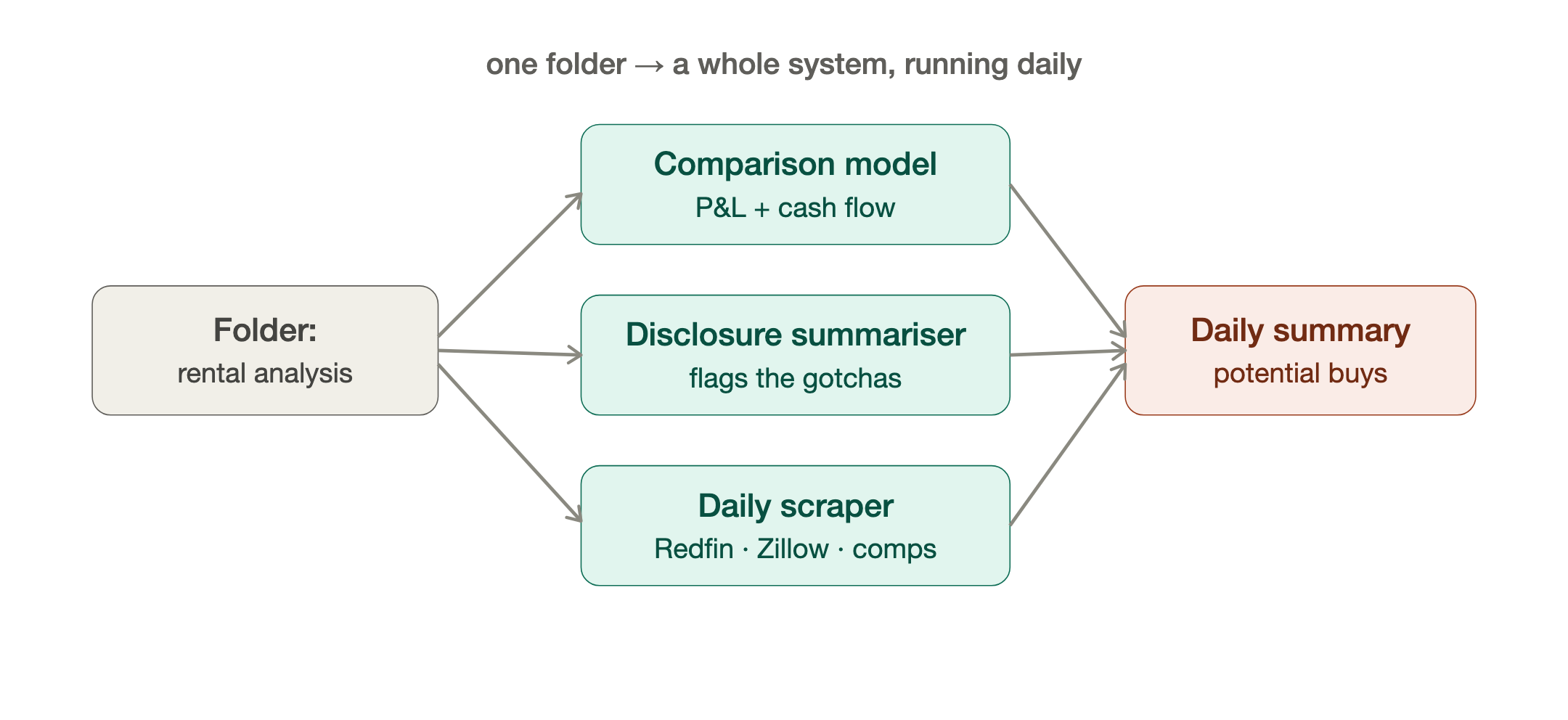
I've been using Tiago Forte's second brain PARA method for some years now (Projects, Areas, Resources and Archive). With the use of Claude Code and Codex, I have completely outsourced the Projects portion of this to AI. Now, when I want to start a project, instead of creating a folder, I ask the Claude or Codex to create a folder, tell it what it's about, and start generating the artifacts I'll use for that project. For example, I was looking at buying a rental property. So, I created a folder for rental property analysis. I got the AI to create a rental property Excel model where you can compare different properties, perform P&L, and cash flow forecasts. Then, for each property I was looking at, I had a separate subfolder where I could put all the disclosure documents, and the AI would generate summary documents of any gotchas that might be hidden in them. I built this out into a full system. Building a Python program to scrape Redfin and Zillow every day looking for target properties, comparing them to others, getting comps, and going out to rental websites to find and target rentals, all of this happening automatically daily. I went from actively looking to sitting back and letting my system send me a daily summary highlighting potential buys. I use this approach now for all my personal projects, remodeling the house, clearing out and selling junk on eBay. None of these are coding problems but AI can automate or simplify them all. I manage all my own projects in folders this way. I've built small productivity tools for myself that would once have meant either a developer and a two-week ticket, or just never getting done: a thing that syncs my task lists between two systems, a tidy-up tool that archives old projects automatically, little data utilities, a crypto / Stock data pipeline I can interrogate. None of it is rocket science. All of it would have been out of reach for a non-developer eighteen months ago. That's the unlock. You no longer need to be a programmer to get a small piece of software built.
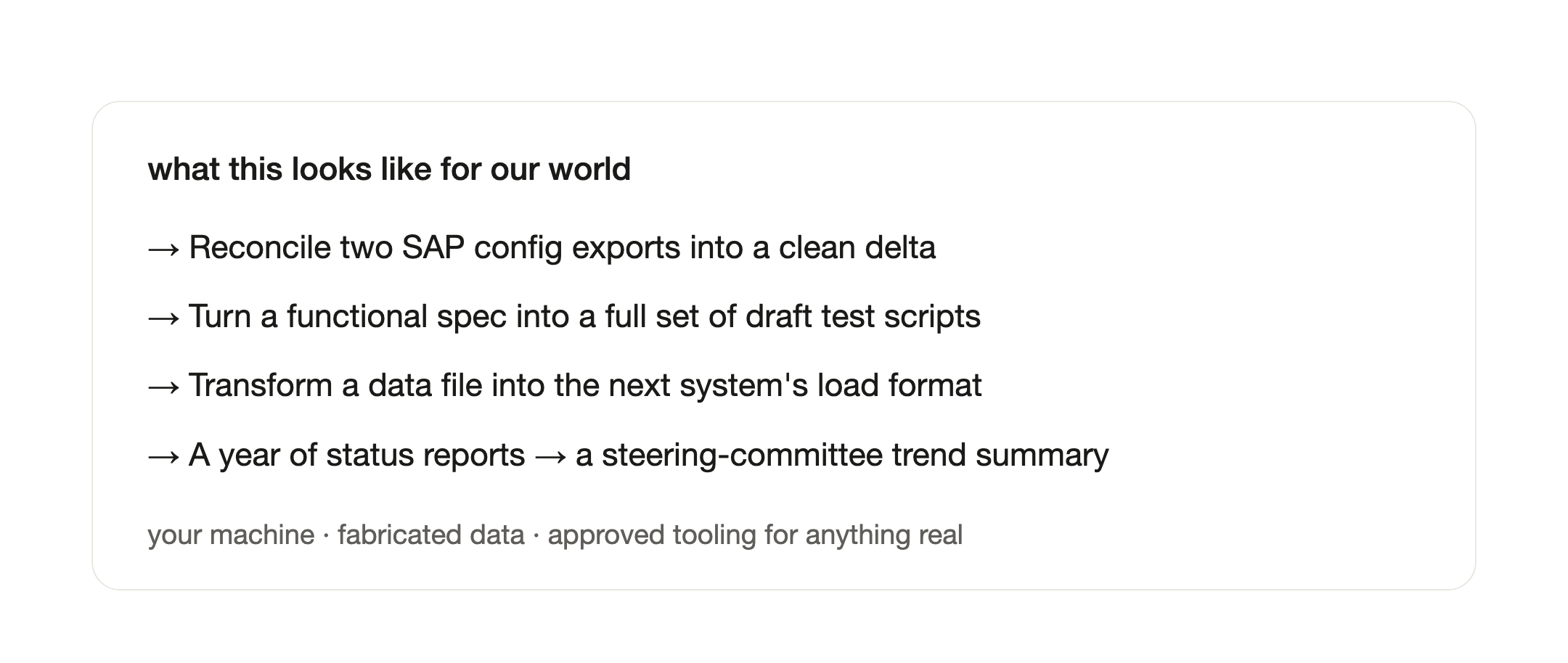
For our world, picture the safe, high-value versions: reconcile two SAP config exports and produce a clean delta. Turn a functional spec into a full set of draft test scripts in a folder, ready to import. Build a little tool that transforms a data file into the exact load format the next system wants. Take a year of status reports and have it produce the trend summary you've been promising the steering committee. All of it on your machine, in your folder, with structure and fabricated data — the same client-data rules from Part 2 still apply, and they apply harder now that the AI can touch real files. If anything sensitive is involved, it goes through your client's approved, sanctioned tooling.
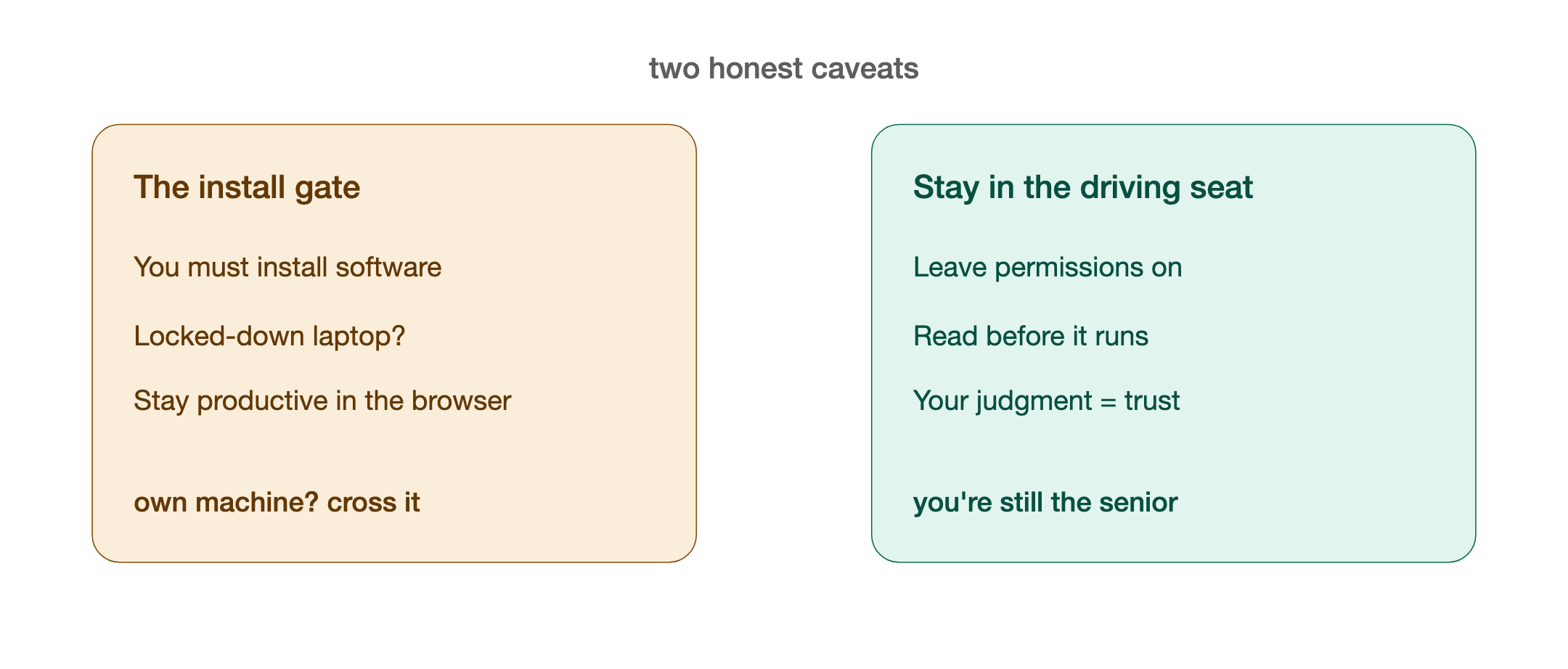
Two honest caveats, because I'm not going to oversell it.
First, this is the rung where you have to install software — and that's exactly the gate I flagged in Part 2. If your client locks down their systems and won't allow it, you may simply not be able to get here on that engagement, and that's fine. Stay productive in the browser. But on your own machine, for your own skill-building, this is absolutely worth crossing.
Second, you have to stay in the driving seat. These tools ask permission before they run anything or change files — leave those guardrails on. Read what it's about to do. It is a brilliant, fast, slightly over-confident junior, and your judgment is still the thing that makes the output trustworthy. The skill that made you good at enterprise work — knowing what "right" and "done" actually look like — matters more here, not less.
Once you've worked in the folder for a few weeks, a thought creeps in: if it can do all this when I'm steering, what could it do if I set it up to run on its own? That question is the whole of Part 4. Because the next step up isn't a bigger chat — it's a harness: a setup that lets the AI plan, build, test, review and ship work largely unattended, with the guardrails baked in. That's where I stopped using AI to build things and started building the thing that builds things. That's my DevShop, and it's where this gets genuinely wild.
If you take one thing from this post: the chat window is the lobby, not the building. The moment you let AI into a real folder, it stops being something you ask and becomes something you work with.
— Jerome
Originally published on LinkedIn, June 30, 2026.